Guest article
What Homeowners Should Check Before Installing a Golf Simulator
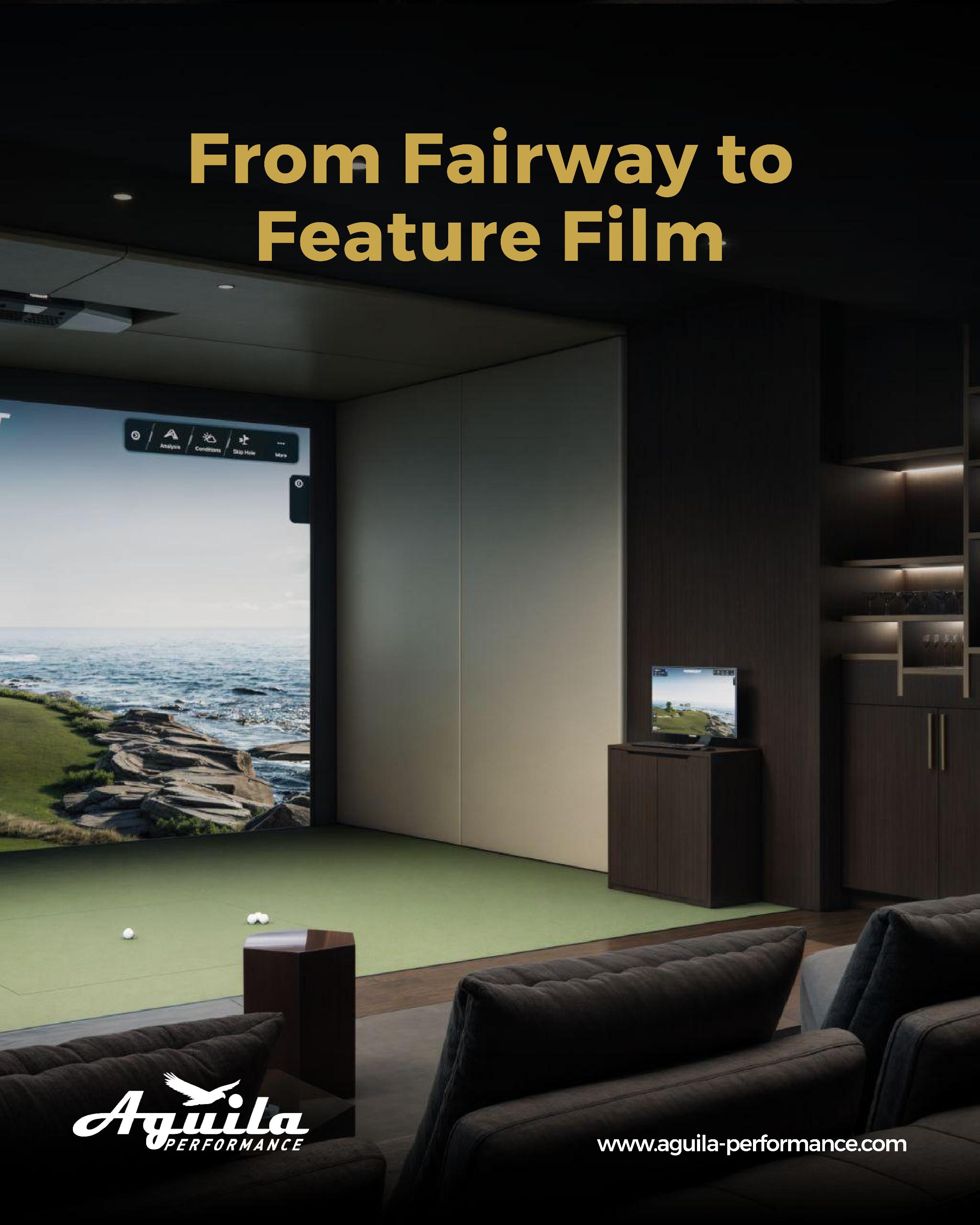
A home golf simulator can turn an unused room, garage, basement or dedicated entertainment area into something the whole household can use. But the process should begin with the room, not the simulator package.
It is easy to start by comparing launch monitors, screens, projectors and software. Those choices matter, but they only make sense once you know what the space can actually accommodate. Ceiling height, room width, hitting position, electrical requirements, ventilation, lighting and even the direction a door opens can influence the final result.
Before installing a golf simulator at home, these are the checks worth making.
1. Measure the Room Properly
Start with accurate measurements rather than relying on the dimensions shown on a property plan.
Record the ceiling height, room width and usable depth, but also look for anything that reduces the practical space. Beams, columns, bulkheads, light fittings, air-conditioning units, doors and built-in furniture can all affect the layout.
The usable dimensions are more important than the headline room dimensions.
A room might appear large enough on paper but become considerably tighter once the enclosure, impact screen, flooring and equipment are installed.
This is particularly important in villas and converted rooms where the original space was never designed around golf.
2. Check the Ceiling Height Before Choosing Technology
Ceiling height is one of the most important considerations for a home golf simulator.
The golfer needs enough clearance to make a natural full swing, particularly with a driver. The required clearance will vary according to the golfer's height, swing characteristics, club selection and the simulator configuration.
Technology also matters. Some overhead-mounted launch monitors require specific installation clearances, while side-mounted or floor-based systems approach tracking differently.
That means a lower ceiling does not automatically mean that a simulator is impossible. It may instead influence which technology is appropriate.
The safest approach is to test the actual space with the golfer who will use it rather than relying entirely on a published room-size recommendation.
3. Think About the Hitting Position
Where the golfer stands is just as important as the overall room size.
The hitting position needs to work with the launch monitor, screen, enclosure and intended target line. Moving the hitting position only a small distance can sometimes make a significant difference to available swing clearance or the amount of space behind the golfer.
For this reason, the room should be planned as a complete system rather than treating the simulator as something that can simply be placed against one wall.
If multiple golfers will use the room, their different heights and swing patterns should also be considered.
4. Don't Ignore Room Width
A room can have enough height and still be unsuitable if it is too narrow.
The golfer should be able to address the ball comfortably without feeling restricted by walls, furniture or the enclosure. There also needs to be enough space for the intended simulator configuration and safe movement around the hitting area.
Width becomes particularly important when the room will be used by more than one person or when the design includes seating, storage or entertainment equipment.
A simulator room should feel like a usable room rather than a piece of equipment squeezed into the smallest available space.
5. Decide Which Technology Actually Fits
There is no single simulator configuration that works equally well for every home.
The right choice depends on the room, the golfer, the intended use and the desired level of measurement and simulation.
Homeowners should consider questions such as:
Is the primary purpose practice, entertainment or both?
Will the system be used mainly by one golfer or the whole family?
Is full club and ball tracking important?
Is the room large enough for an overhead system?
Will the simulator need to integrate with existing AV equipment?
Is future upgradeability important?
Technology should follow the requirements of the room rather than the other way around.
6. Check Power and Data Requirements
A simulator room can involve more technology than initially expected.
Depending on the specification, the installation may require power for the launch monitor, projector, computer, display equipment, lighting, networking and other AV components.
If the room is being renovated, it is much easier to plan electrical outlets and data connections before the walls and ceiling are finished.
Think about cable routes at the design stage too. A clean installation should avoid unnecessary visible cables running across floors or around the simulator enclosure.
7. Consider Ventilation and Temperature
Golf involves movement, and simulator rooms can become surprisingly warm during extended sessions.
A room with several people, a projector, computer equipment and other electronics can also generate additional heat.
This makes ventilation and climate control important considerations, particularly in Dubai where maintaining comfortable indoor temperatures is essential throughout much of the year.
The air-conditioning arrangement should be considered alongside the simulator layout rather than added after installation.
8. Plan the Flooring Carefully
Flooring is another detail that can be overlooked.
The finished floor height affects the amount of usable ceiling clearance, while the surface around the hitting area needs to work comfortably with the golfer's stance and movement.
A homeowner should consider whether the existing floor will remain, whether additional flooring or a platform is required, and how the final floor level will interact with doors and surrounding rooms.
Those few centimetres can matter when ceiling clearance is already tight.
9. Think About Lighting and Acoustics
Lighting has a practical role in a simulator room.
Direct light hitting the screen can affect the viewing experience, while poorly positioned fixtures can interfere with the projector or create unwanted reflections.
Acoustics deserve similar attention. A golf ball striking an impact screen repeatedly produces sound, while club impact and general conversation can carry into neighbouring rooms.
This matters particularly when the simulator is located beside bedrooms, living areas, offices or other quiet spaces.
Acoustic treatment does not have to make the room feel like a studio. It simply needs to be considered as part of the room's overall design.
10. Consider Everyone Who Will Use the Room
A home simulator may start as a golfer's project but become a shared entertainment space.
Children may use it. Friends may visit. Family members may want to watch films, play other sports or simply use the room socially.
That means homeowners should decide whether the room is intended purely for golf or whether it should serve multiple purposes.
Storage, seating, screens, AV equipment and other features can all be incorporated, but they need to be planned around the simulator rather than competing with it.
11. Think About Maintenance and Access
A finished simulator should still be accessible when something needs attention.
Projectors, computers, launch monitors and other components may eventually require servicing, adjustment or replacement. If equipment has been installed without considering access, a simple maintenance issue can become unnecessarily complicated.
Ask during the planning stage:
How will the equipment be accessed?
Where will the computer or control equipment sit?
Can the projector be serviced easily?
Can the launch monitor be adjusted or replaced?
Where will cables and connections be located?
Who will provide technical support after installation?
These questions rarely affect the excitement of choosing a simulator, but they have a major effect on the long-term ownership experience.
12. Think Beyond Installation Day
A simulator should not be considered finished simply because the equipment has been mounted and the screen is working.
Commissioning and calibration are important parts of the process. The system needs to operate correctly within the completed room, and users should understand how to operate the technology and access the features they actually need.
It is also worth establishing who will provide support if the system needs troubleshooting or upgrading later.
A clear support arrangement gives homeowners confidence that the room will continue to be useful long after the installation team leaves.
13. Don't Choose a Package Before Assessing the Space
One of the easiest mistakes is selecting a simulator package first and then trying to make the room accommodate it.
The better sequence is the opposite.
Assess the room → understand the intended use → establish the constraints → select suitable technology → design the installation.
That sequence gives the homeowner more flexibility because the technology is being selected for the space rather than forcing the space to accommodate a predetermined system.
Build Around the Home You Actually Have
The best home golf simulator is not necessarily the one with the longest equipment list. It is the one that works naturally within the room and the way the household intends to use it.
For some homeowners, that may mean a dedicated golf room with a premium launch monitor and integrated AV system. For others, it may mean adapting an existing entertainment room or designing a compact simulator around a challenging ceiling height.
At Aguila Performance, we approach home golf simulator projects by looking at the complete environment first. Room dimensions, golfer requirements, technology, infrastructure, interior integration and future use all form part of the planning process.
The objective is straightforward: create a golf environment that feels like it belongs in the home rather than a collection of equipment that happens to fit inside it.
For homeowners considering a golf simulator in Dubai or elsewhere in the UAE, that assessment should happen before construction begins. A few careful decisions at the planning stage can prevent expensive compromises later and make the finished room considerably more enjoyable to use.